
How to Scrape Booking.com Data Without Coding
Booking.com Data Without Coding

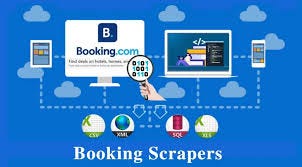
Do you want to scrape useful data from Booking.com without coding a single line? As a market researcher, travel agency, or data analyst, scraping Booking.com data can provide you with insights into hotel prices, availability, reviews, and more. In this tutorial, we will guide you through scraping Booking.com data easily without coding.
Why Scrape Booking.com Data?
Scraping Booking.com data can help you:
Monitor Hotel Prices – Compare hotel prices across different locations and dates.
Analyze Customer Reviews – Gain insights into customer sentiments and preferences.
Track Availability Trends – Understand seasonal fluctuations in hotel availability.
Competitive Analysis – Research competitor listings and pricing strategies.
Is Scraping Booking.com Legal?
Before you scrape information, make sure to check Booking.com's Terms of Service. Most websites don't like automated scraping, so try to adhere to ethical and legal standards. Where available, utilize Booking.com's official API for data scraping.
Best No-Code Tools for Scraping Booking.com
If you’re not a programmer, don’t worry! Several no-code tools allow you to extract data from Booking.com without technical knowledge. Here are some of the best tools:
1. ScrapeLead
ScrapeLead is a powerful web scraping tool designed to extract data from Booking.com effortlessly.
Features:
No coding required.
Extract hotel prices, reviews, and availability.
Export data in CSV and JSON formats.
How to Use:
Visit ScrapeLead and sign up.
Enter the Booking.com URL you want to scrape.
Select the data fields you need.
Click “Start Scraping” and download your data.
2. Octoparse
Octoparse is a user-friendly web scraping tool that lets you scrape Booking.com with a point-and-click interface.
Features:
No coding required.
Cloud-based automation.
Export data in Excel, CSV, or JSON formats.
How to Use:
Sign up for an Octoparse account.
Enter the Booking.com URL.
Use the visual scraper to select hotel details like name, price, and rating.
Run the scraper and download your data.
3. ParseHub
ParseHub is another great no-code web scraper that uses machine learning to extract data from Booking.com.
Features:
Simple UI with point-and-click functionality.
Handles pagination and infinite scrolling.
Free plan available.
How to Use:
Install ParseHub on your browser.
Open Booking.com and select the elements you want to scrape.
Set up your project and run the scraper.
Download the extracted data.
4. Bright Data (Formerly Luminati)
If you need large-scale data extraction, Bright Data offers web scraping automation with ready-made templates for Booking.com.
Features:
API and proxy services for avoiding bans.
Pre-built Booking.com data extraction templates.
Real-time data collection.
How to Use:
Sign up and choose the Booking.com scraper template.
Enter your search parameters.
Extract and export the data.
Tips for Effective Web Scraping
To scrape Booking.com data efficiently, keep these best practices in mind:
Use Delays & Proxies – Avoid getting blocked by mimicking human browsing behavior.
Extract Relevant Data – Focus on key information like hotel name, price, location, and reviews.
Respect Website Policies – Ensure compliance with Booking.com’s terms.
Use Cloud-Based Scrapers – Avoid IP bans by using cloud scraping services.
Conclusion
Booking.com data scraping without coding can be done with no-code software such as ScrapeLead, Octoparse, ParseHub, and Bright Data. These software provide a user-friendly interface that allows you to scrape hotel prices, reviews, and availability trends with ease. Nevertheless, always make sure you adhere to legal and ethical requirements before scraping data.
If you're seeking a convenient method of gathering Booking.com data, give one of these no-code scrapers a try today and discover rich travel intelligence!
Let us know in the comments! And don’t forget to share this guide with others who may find it helpful.
Know More >> https://scrapelead.io/hotels/how-to-scrape-data-from-booking-com/